We Design Extraordinary Things
Iguana+Solutions+DevOps+Platform+Light+Mode+UI+UX+App+Design+by+The+Skins+Factory.png

Iguana Solutions USA | DevOps Platform UI/UX Design

UI/UX design for a DevOps and managed services platform. User-centered web app design for complex cloud and hybrid infrastructure management.

Iguana Solutions USA

DevOps Platform UI/UX Design · Web Application

Complete Web Application UI/UX

Product UI/UX Design

Drag + Drop Infrastructure Builder

The Skins Factory designed the complete UI/UX for Iguana Solutions USA’s DevOps and managed services platform, transforming low-fidelity wireframes into a polished application for creating projects, configuring infrastructure, deploying environments, and monitoring complex systems across physical, cloud, and hybrid platforms.

Making complex infrastructure easier to build and manage

Engineers needed to move quickly between project status, infrastructure configuration, deployment progress, monitoring data, filters, and activity feeds. The platform had to support dense, highly technical workflows while avoiding excessive scrolling and keeping critical controls, system states, and project information easy to find.

Turning infrastructure configuration into a visual workflow

We organized the experience around the full infrastructure lifecycle, from creating a project and selecting a blueprint to configuring, deploying, and monitoring the environment. A collapsible sidebar reclaimed space for the Infrastructure Grid, while zoom controls, tactile drag-and-drop components, illuminated placement guides, and explicit deployment states made complex technical actions easier to understand and control.

Project Overview

Making complex infrastructure management feel visual, structured, and approachable.

DevOps platforms are naturally dense. The interface has to accommodate projects, environments, infrastructure components, deployment states, monitoring data, activity feeds, filters, and configuration controls without forcing the user to fight the product. Our work focused on strong information hierarchy, efficient use of screen real estate, and interaction patterns that keep technical users oriented from setup through deployment.

Client

Iguana Solutions USA

Product

DevOps and infrastructure management platform

Platform

Enterprise desktop web application

Design Scope

UI/UX, interaction design, dashboards, workflows, and custom iconography


02 · Homepage, Projects + Infrastructure

One product foundation for creating, configuring, and monitoring infrastructure.

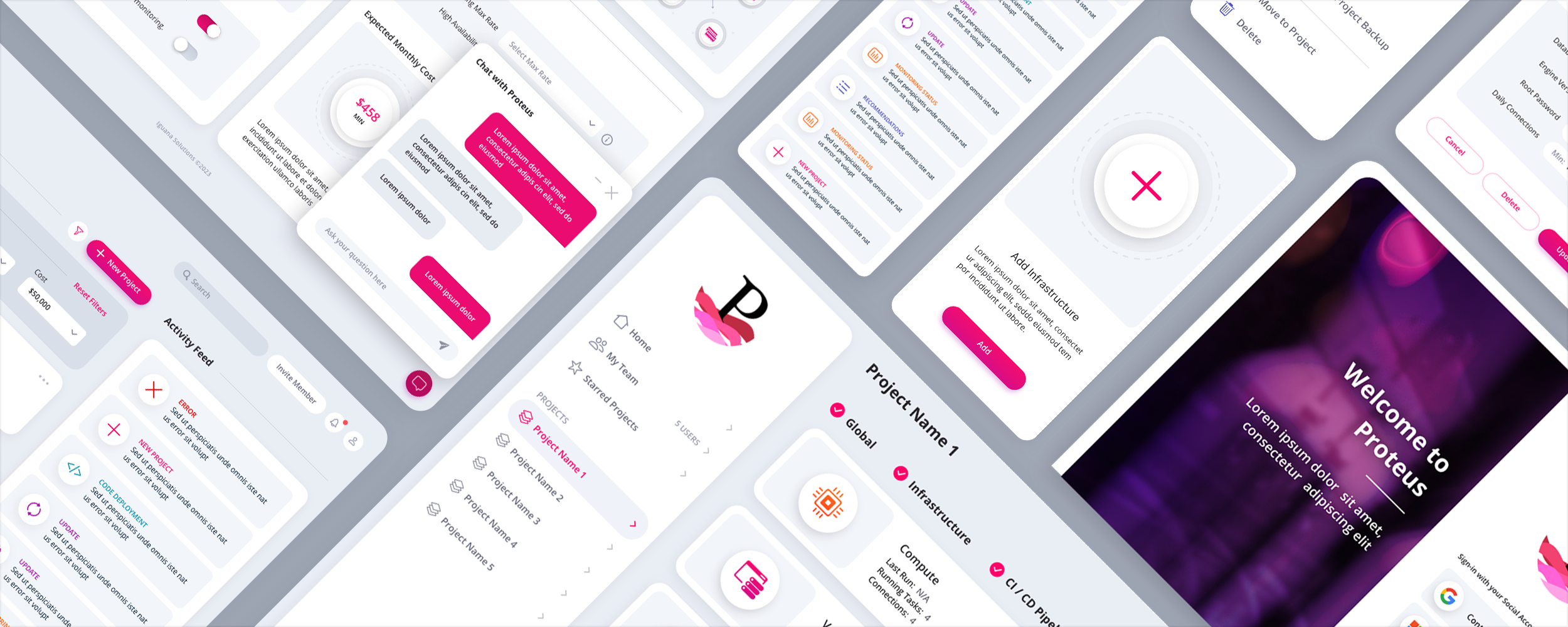
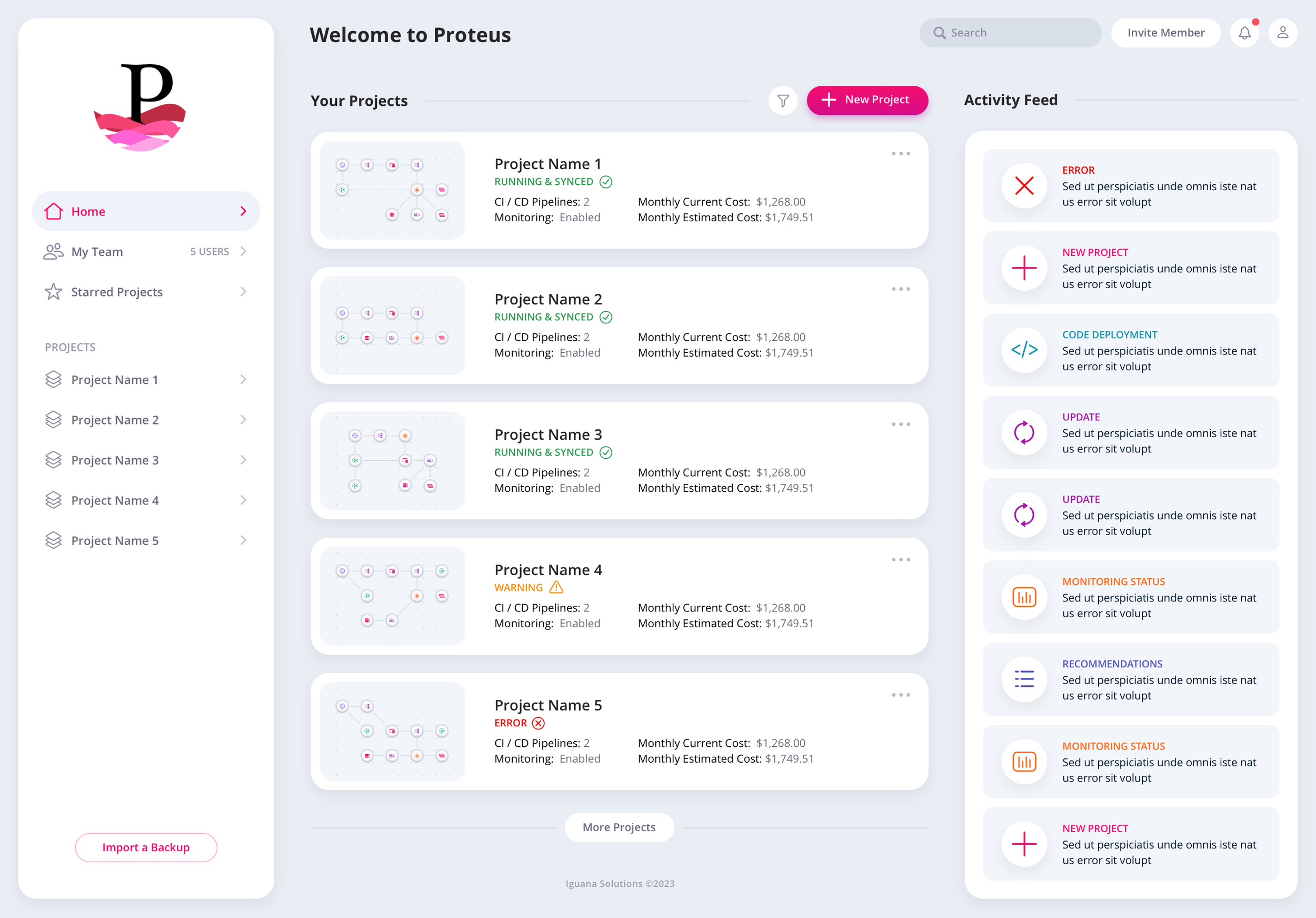
The homepage gives users a starting point for creating new projects, reviewing existing work, scanning critical information, and following the activity feed. We created a unified custom icon system that adds clarity and character without turning a serious technical product into visual noise.

Homepage

Project cards, activity, navigation, team access, and key actions are organized around the tasks a user is most likely to perform next.

DevOps platform homepage Dashboard UI design with project cards, activity feed, and custom iconography

Homepage Dashboard

Menus + Filters

The controls had to expose depth without permanently occupying valuable screen space. The expanded filter panel matches the height of the top list-view row. When opened, it replaces that row and pushes the lowest visible row out of view, preserving the page structure instead of creating a disruptive layout shift.

Creating + Configuring a Project

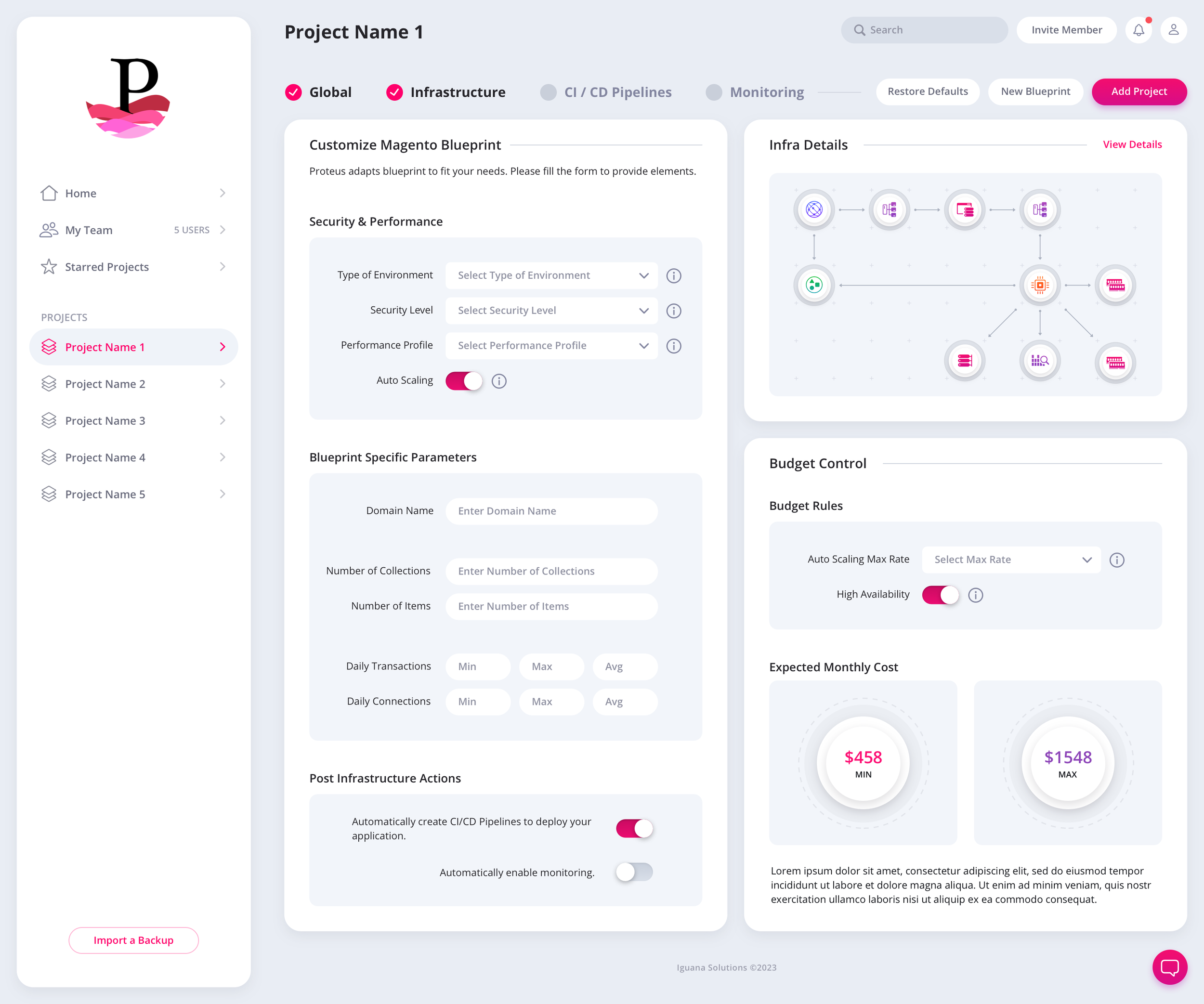
Empty states explain what belongs in the workspace and what to do next. From there, the platform moves users through project creation, blueprint selection, and infrastructure configuration using consistent layouts, controls, and visual cues.

To keep the UI clean, the filter dropdown is the same size as the top listview row. Once the filters are expanded, the rows each drop down one row pushing the bottom row off screen. This happens by replacement, not motion.

Blank Project: Getting Started. We utilized some neumorphic design touches to give depth to the 3 panels.


Infrastructure Changes Modal

Database Configuration Modal

 
Infrastructure configuration screen UI design for the Iguana Solutions DevOps platform

Configure an Infrastructure

Project Monitoring

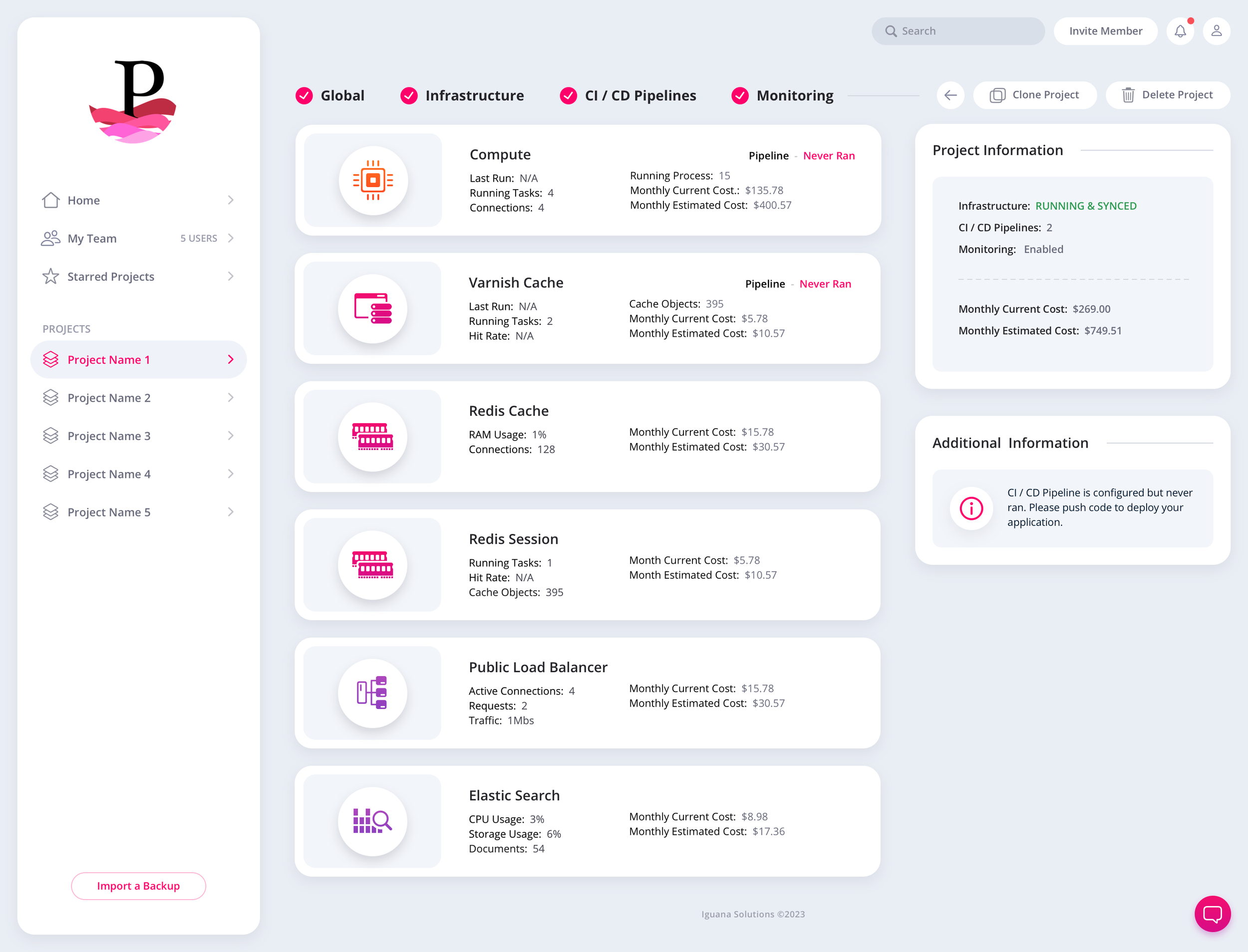
Once a project is deployed, the monitoring hub keeps infrastructure status, system data, and project activity available without forcing users to leave the context of the project they are managing.

Deployed project monitoring hub UI with real-time infrastructure data

Deployed Project Monitoring Hub

03 · Infrastructure Grid

A visual building environment designed around screen real estate.

Infrastructure diagrams can involve dozens of components. We focused the grid experience on preserving usable space and avoiding unnecessary horizontal or vertical scrolling. A collapsible sidebar gives users more room for drag-and-drop components, while zoom controls support different working views, especially on larger developer displays.

Expanded + Collapsed Sidebar

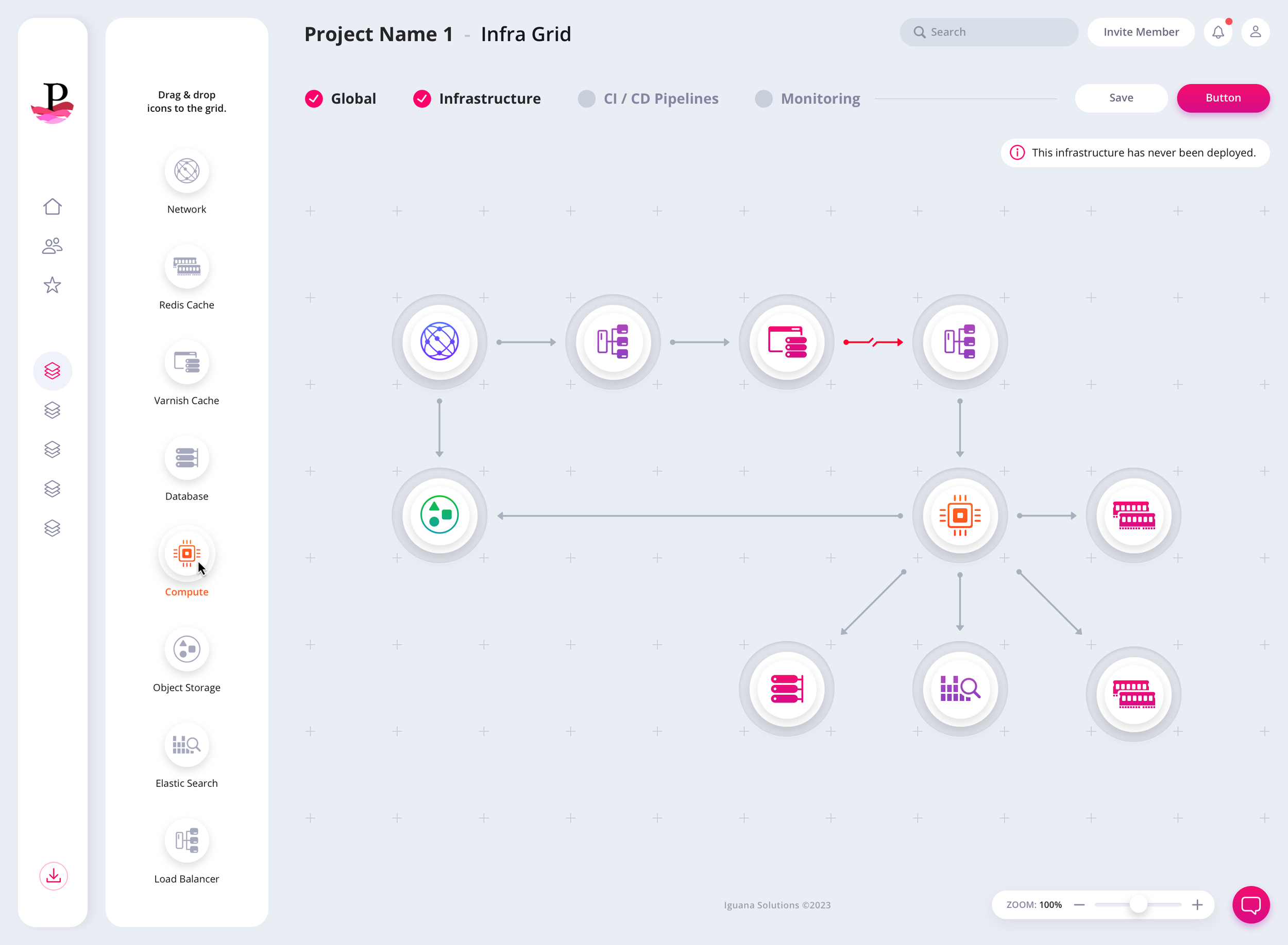
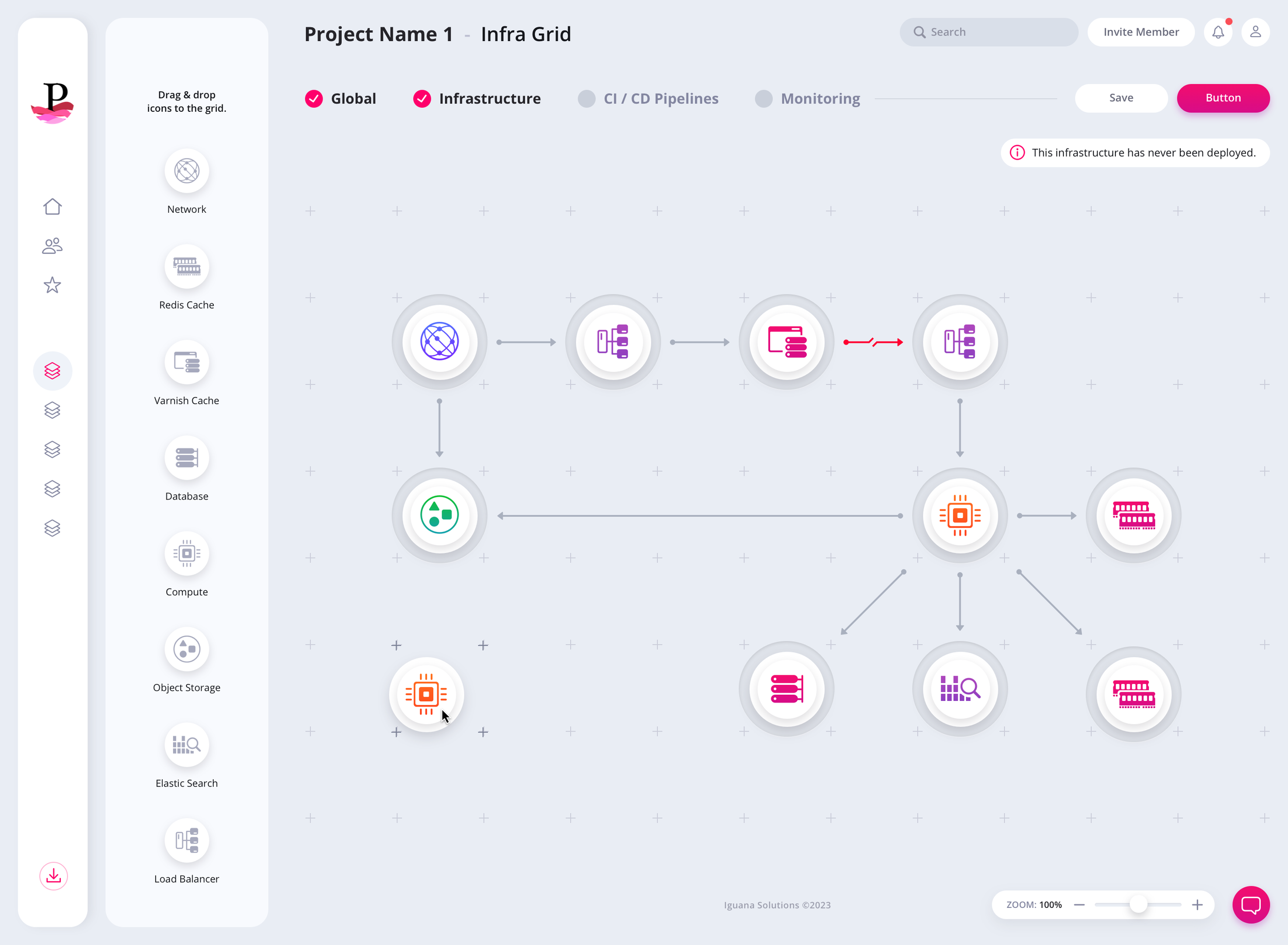
The same grid supports two working modes. The expanded sidebar provides component context and choices. The collapsed state returns that space to the canvas while keeping the component icons ready to drag into position.

Infrastructure Grid w/Sidebar Expanded.

Infrastructure Grid w/Sidebar Collapsed with Icons ready to be drag & dropped.

Tactile Drag + Drop Feedback

Component icons rest on a flat base by default, then gain neumorphic depth on hover so they feel ready to pick up. As an icon travels across the grid, guide marks illuminate beneath it. Once released, the icon and its base settle into place, making a technical configuration task feel direct and physical.

Infrastructure Grid icon hover state showing neumorphic depth effect

We kept the icons on a flat base by default and added neumorphic elements once they’re hovered. We wanted them to have a tactile look as they were being dragged and placed.

Drag and drop interaction on the Infrastructure Grid with illuminated guidemarks

To help guide the drag & drop journey, we made sure to “light up” the guidemarks as an icon traverses over them. Once released, the icon and its base drops into place.

Changes + Database Configuration Modals

Configuration details and high-consequence changes are handled in focused modal experiences. Users can review what is being changed, confirm the intended action, and return to the grid without losing their place.

Infrastructure Changes Modal

Database Configuration Modal

Deployment Status Must Never Be Ambiguous

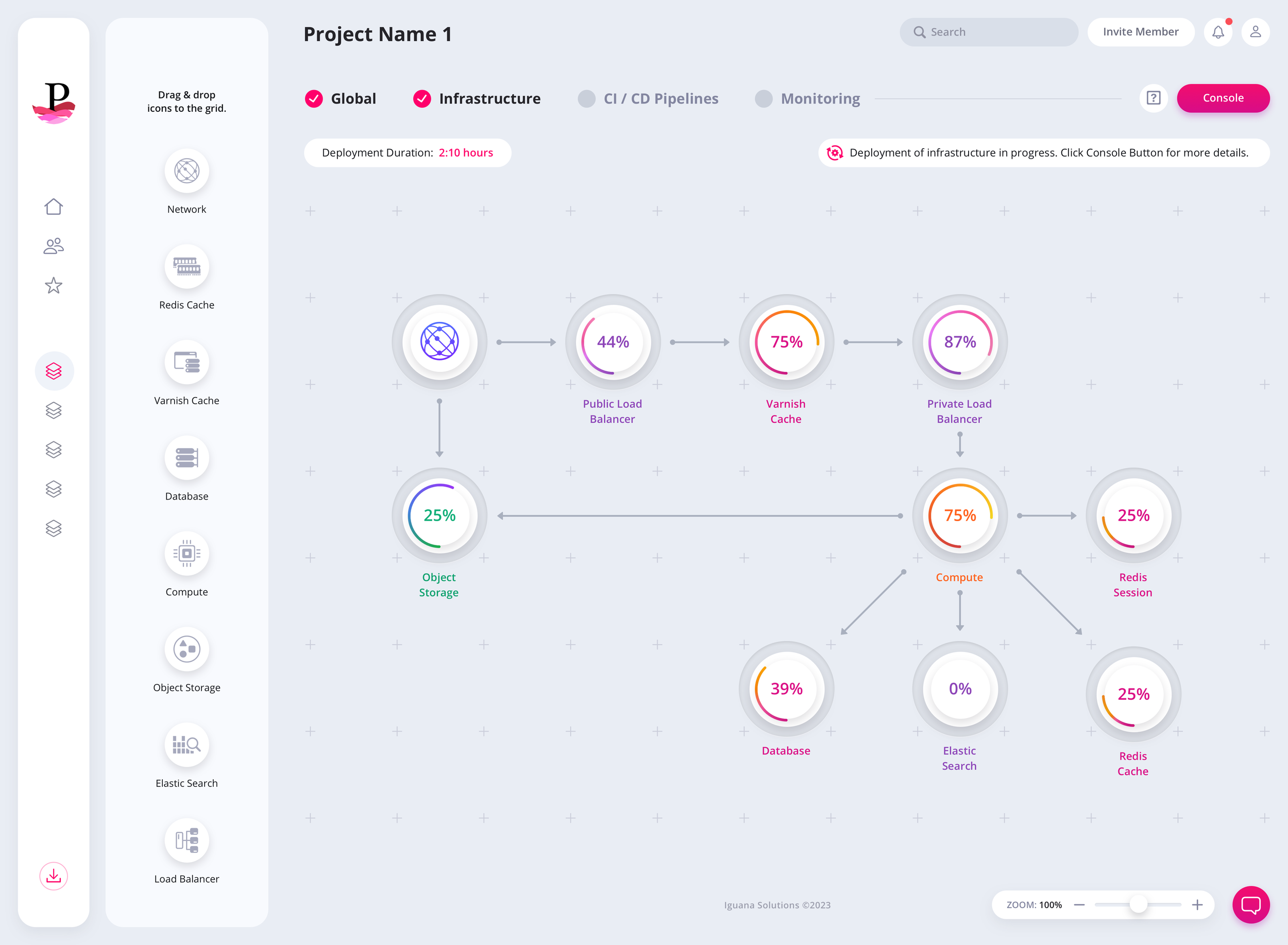
Progress bars, completion percentages, and clear onboarding copy communicate exactly where the infrastructure is in the deployment process. Technical complexity remains underneath the product, while the user sees a state they can understand and trust.

iguana-devops-infrastructure-grid

Progress bars, completion percentages and text onboarding leave no room for confusion as this Infrastructure Grid goes through its deployment process.

04 · Initial Concept Directions

Exploring the structure before committing to the final visual system.

The project began with a low-fidelity wireframe presentation that defined the information required on each screen. From that foundation, our team explored multiple layout and visual directions, including a light-sidebar list view and a dark-sidebar grid view. The dark-sidebar concept established a strong foundation for a complete dark mode, while the light mode became the primary production direction.

Iguana Solutions Homepage Early Prototype 1: Light Sidebar w/ Listview Layout

Iguana Solutions Homepage Early Prototype 2: Dark Sidebar w/ Grid Layout. We felt the dark sidebar was best utilized for a complete dark mode version.


Common Questions

DevOps Platform UI/UX Design FAQ

Questions product leaders commonly ask when evaluating a UI/UX design partner for a DevOps, cloud, infrastructure management, or developer platform.

What should a DevOps company look for in a UI/UX design agency?

Look for a design partner with experience simplifying complex enterprise software, technical dashboards, role-based workflows, design systems, and data-heavy products. The agency should understand how engineers work, collaborate effectively with product and development teams, and improve usability without removing the depth experienced users require.

How do you simplify a complex DevOps platform without removing technical depth?

The goal is not to hide functionality. It is to organize it around real user priorities. Strong information hierarchy, progressive disclosure, contextual controls, consistent interaction patterns, and clear system states make common tasks easier to complete while keeping advanced configuration options accessible when needed.

What should a DevOps platform UX audit evaluate before a redesign?

A useful audit should examine navigation, information architecture, onboarding, project creation, infrastructure configuration, deployment workflows, monitoring views, alerts, permissions, empty states, error handling, accessibility, and design consistency. It should also prioritize findings by user impact and business risk rather than producing a generic list of interface issues.

Can a legacy DevOps platform be redesigned without disrupting established workflows?

Yes, but the redesign must begin by understanding existing workflows, user expectations, technical constraints, and the parts of the product customers already rely on. The safest approach preserves useful mental models, validates revised workflows through prototyping, and modernizes the product in deliberate phases rather than changing everything at once.

How can better UI/UX reduce onboarding time, support requests, and user error?

Clear terminology, contextual guidance, useful empty states, predictable controls, recoverable errors, and explicit deployment feedback reduce ambiguity throughout the product. Users can understand what happened, what requires attention, and what to do next without repeatedly contacting support or relying on external documentation.

What does a DevOps platform UI/UX redesign typically include?

A complete engagement may include discovery, user and stakeholder research, workflow mapping, information architecture, wireframes, interactive prototypes, visual interface design, dashboards, complex system states, a reusable design system, usability testing, and detailed engineering handoff. The final scope depends on the number of user roles, workflows, screens, and technical constraints.

THE REALLY, REALLY SHORT FORM

Have a project in mind? Let's talk.

Thank you for reaching out.

We will be in touch within one business day.